The ipSentry Scripted TCP/IP Network Monitoring Add-In provides you with the
ability to monitor various TCP/IP hosts using scripted Connect/Send/Receive
functionality allowing you to expand upon the basic Data to Send / Data To
Receive functionality.
For example, utilizing the sample FTP script provided, you are able to connect
to an FTP server, login using anonymous access, change to a specified path, and
then disconnected. This type of functionality provides a more
in-depth test of the host being monitoring.
From the
Entry Editor, set the Type of entry to Add-In, click
Select Add-In and
select the Scripted TCP/IP Network Monitor.
Click on the Configure Add-In button.
Scripted TCP/IP Network Monitor Configuration - General Settings
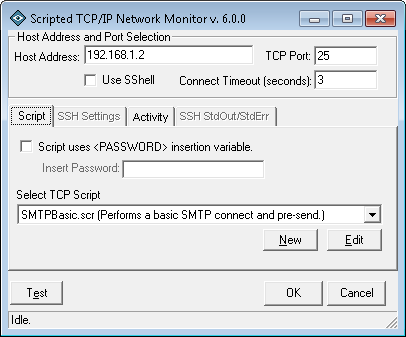
After selecting to Configure Add-in from the main ipSentry Entry Editor, you will be presented with the Scripted TCP/IP Network Monitoring configuration options.
Host Address
Enter the IP Address or FQDN of the host you wish to monitor using the selected TCP Script.TCP Port
Enter the port number of the host to which you wish to connect.Use SShell
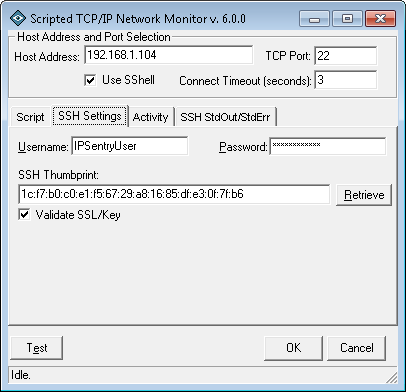
Select this option to connect to an SSH host for script execution.
Selecting this option will enable the SSH Settings and SSH Stdout/Stderr tabs.Connect Timeout
Enter the # of seconds that are allowed for the connection to be established with the remote host.Script uses password variable
While not required, the purpose of this field is to separate the password (obfuscated) from the plain-text script file. If your scripting requires the transmission of a password, you should enabled this option and enter the password in the field provided. Then, in order to utilize this password in your script, use the <PASSWORD> scripted keyword.
e.g. SEND "PASS <PASSWORD><CRLF>" would send the real password followed by a return and line feed.Select TCP Script
Select the script you wish to use from this dropdown list.
Click the NEW button to add a new script or click the EDIT button to modified the currently selected script.
See the TCP Scripting Reference for more information on TCP Scripting.Scripted TCP/IP Network Monitor Configuration - SSH Settings
Username
Enter the username for an account enabled to access SSH on the remote host.Password
Enter the password for an account enabled to access the remote host.SSH Thumbprint
Enter the security thumbprint of the SSH host. You can click the Retrieve button to have ipSentry attempt to retrieve the thumbprint from the remote host by making a valid connection.Retrieve
Click the retrieve button to have ipSentry attempt to retrieve the thumbprint from the remote host by making a valid connection.Validate SSL/Key
Enable this option to have the add-in compare the thumbprint with the key returned by the server when establishing the connection. If the thumbprints do not match, the add-in report critical and script execution will not continue.
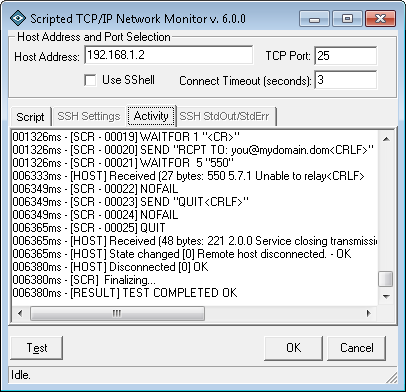
Test (button)
Click to test the script. As the script runs, you will see the actions being taken in the Test Results section allowing you to debug the script based on the responses and activities displayed.
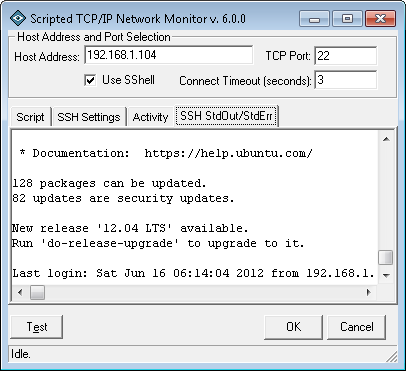
When you test when using SSH, the SSH StdOut/StdErr activity will be populated with output from the SSH terminal sesson.